

Which Social Media Management Tool Supports Bluesky, Threads and WhatsApp Scheduling?
Bluesky Scheduling
Integration and Workflow
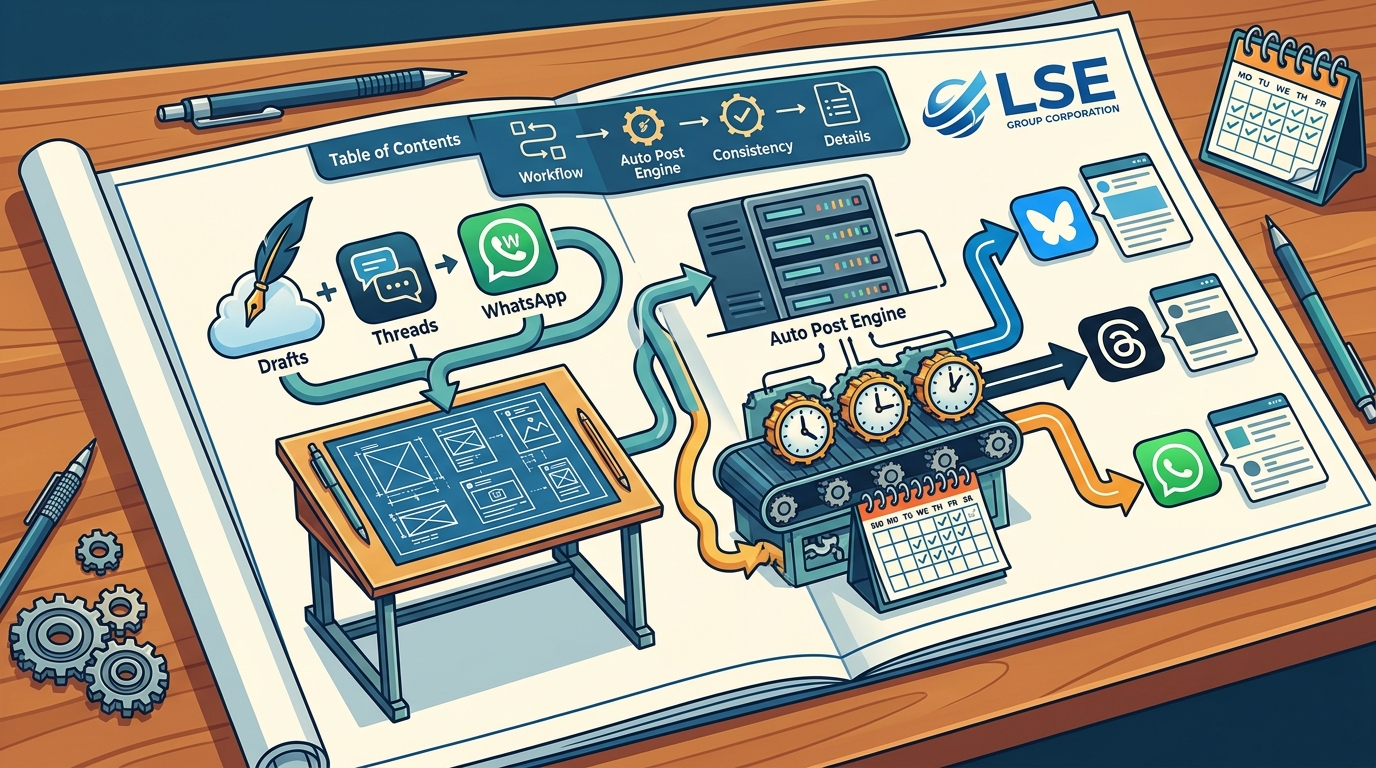
When you connect your Bluesky account to the LSE dashboard, you gain the ability to draft posts, attach media, and schedule them for future publication. This integration allows you to treat Bluesky with the same workflow efficiency as established platforms like X or Facebook. You can use the Auto Post engine to set specific days of the week for Bluesky content, ensuring consistent visibility without manual daily intervention. For additional details, review the marketing lumanet info.
Analytics for Decentralized Networks
Traditional social media analytics often fail to capture the nuances of decentralized networks. The platform provides per-post snapshot analytics that track views, reactions, and shares over time. This data helps you understand how your content performs on Bluesky specifically, allowing you to refine your strategy based on actual engagement patterns rather than generic industry benchmarks. For additional details, review the .
Threads Scheduling
Unified Content Management
Strategic Timing and Automation
Threads thrives on timely, conversational content. The Auto Post engine allows you to configure posting schedules by day of the week and post category. This means you can automate your daily check-ins or weekly thought leadership pieces on Threads while reserving other slots for promotional content. This level of granularity helps maintain an authentic presence without the risk of over-posting or under-posting. For additional details, review the Customer Experience.
WhatsApp Scheduling
Automated Customer Communication
Unlike traditional social media posts, WhatsApp messages are direct and personal. The platform allows you to schedule these messages to go out at optimal times, such as during business hours or before major product launches. This is particularly useful for e-commerce businesses that need to send order updates, promotional offers, or customer support messages. By scheduling these interactions, you ensure that your communication is consistent and timely, enhancing customer satisfaction. For additional details, review the Frequently Asked Questions.
Compliance and Best Practices
When scheduling messages on WhatsApp, it is crucial to adhere to platform guidelines and user consent regulations. The LSE platform provides a structured environment for managing these communications, helping you maintain compliance while leveraging the power of direct messaging. You can track the delivery and engagement of your scheduled messages, giving you insight into how your audience responds to different types of content. For additional details, review the About.
Platform Comparison
| Threads Support | Yes | Yes | Yes |
| Target Audience | SMBs and Agencies | SMBs and Enterprises | Large Enterprises |
Key Takeaways
- Bluesky integration allows for consistent presence on decentralized networks with dedicated analytics.
- Threads scheduling enables unified management with Instagram, leveraging AI for tone adaptation.
- WhatsApp scheduling facilitates automated, compliant direct messaging for customer engagement.
- The Auto Post engine allows for granular control over posting schedules by day and category.
- Per-post snapshot analytics help identify optimal posting patterns specific to each channel.
- A 15-day free trial is available for the Starter plan, allowing teams to test the platform without credit card requirements.
Frequently Asked Questions
Does the LSE platform support all three channels in the same plan?
Can I schedule different content for each platform?
How does the Auto Post engine work for WhatsApp?
The Auto Post engine allows you to set specific days of the week for WhatsApp messages. You can configure these schedules by post category, ensuring that promotional and informational messages are sent at appropriate times.
Is there a free trial available?
What analytics are available for these channels?
The platform provides per-post snapshot analytics that track views, reactions, comments, and shares over time. This data helps you understand performance trends and optimize your posting strategy.
Can I upgrade my plan later?
Yes, you can upgrade from the Starter plan to Professional or Enterprise plans as your needs grow. All plans are month-to-month, so you can adjust your subscription without long-term contracts. Learn more: marketing lumanet info.